Understanding the Turnitin Document Viewer (1 of 3)
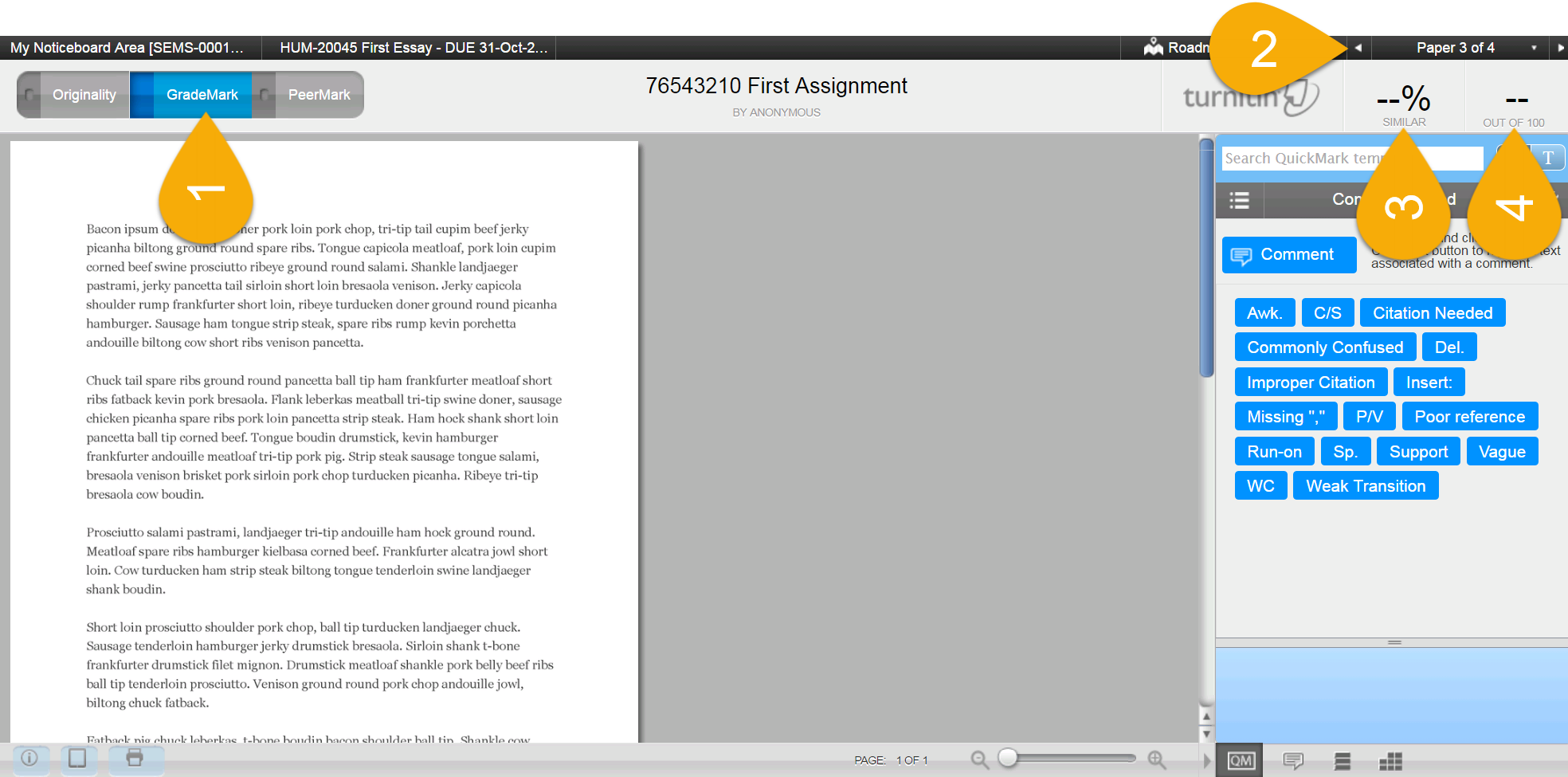
- Originality | GradeMark | PeerMark: Quickly move between the Originality Report, GradeMark document viewer and PeerMark (where available) for a single submission using these tabs.
- Navigating multiple submissions (top right): The arrow navigation buttons (top right) allow the instructor to move between student submissions without having to return to the main assignment inbox.
- Similarity index: A percentage indicating the amount of text matched from sources contained within the Turnitin database and public internet will appear here.
- Mark: This field allows the instructor to enter a numeric grade up to the maximum point value set within the Turnitin dropbox settings.
Image too small? Click here to enlarge.
Hover over the highlighted areas above to reveal their function.
